Remotion vs fframes: render speed is not the bottleneck when an AI agent writes the video
Published
I make explainer videos with code. Every scene is a React component in Remotion, and the code is written by AI agents (Claude Opus), not by me. A 10-minute video takes about 13 minutes to render on my M1 MacBook.
Someone on X pointed me at fframes, a Rust video framework by Dmitriy Kovalenko. Frames are SVG trees drawn on the GPU with Skia, no browser involved. Their example claim: a 98-second video in about 75 seconds on an M4 Max.
So I tested two things:
- Render speed. Same scene, both tools, 5, 10 and 30 seconds of video.
- Build speed. Two AI agents get the same brief for a new 30-second scene, one in Remotion and one in fframes. How long does each take, and how many tokens does each burn?
The second question matters more to me, because in my setup an agent writes every scene.
The setup
| Part | Details |
|---|---|
| Machine | MacBook, Apple M1, 16 GB RAM, macOS 26.7 |
| Remotion | 4.0.484, Node 22, headless Chrome, x264 |
| fframes | main @ 44745c0 (2026-10-16), Skia on Metal, x264 |
| Output | 1920×1080, 30 fps, H.264, libx264 preset medium, CRF 18, no audio |
| Agents | Claude Opus 5.5 subagents, one per tool, same prompt, running at the same time |
Both renderers used the same software encoder, so the comparison is about drawing frames, not about hardware encoding.
Test 1: render speed
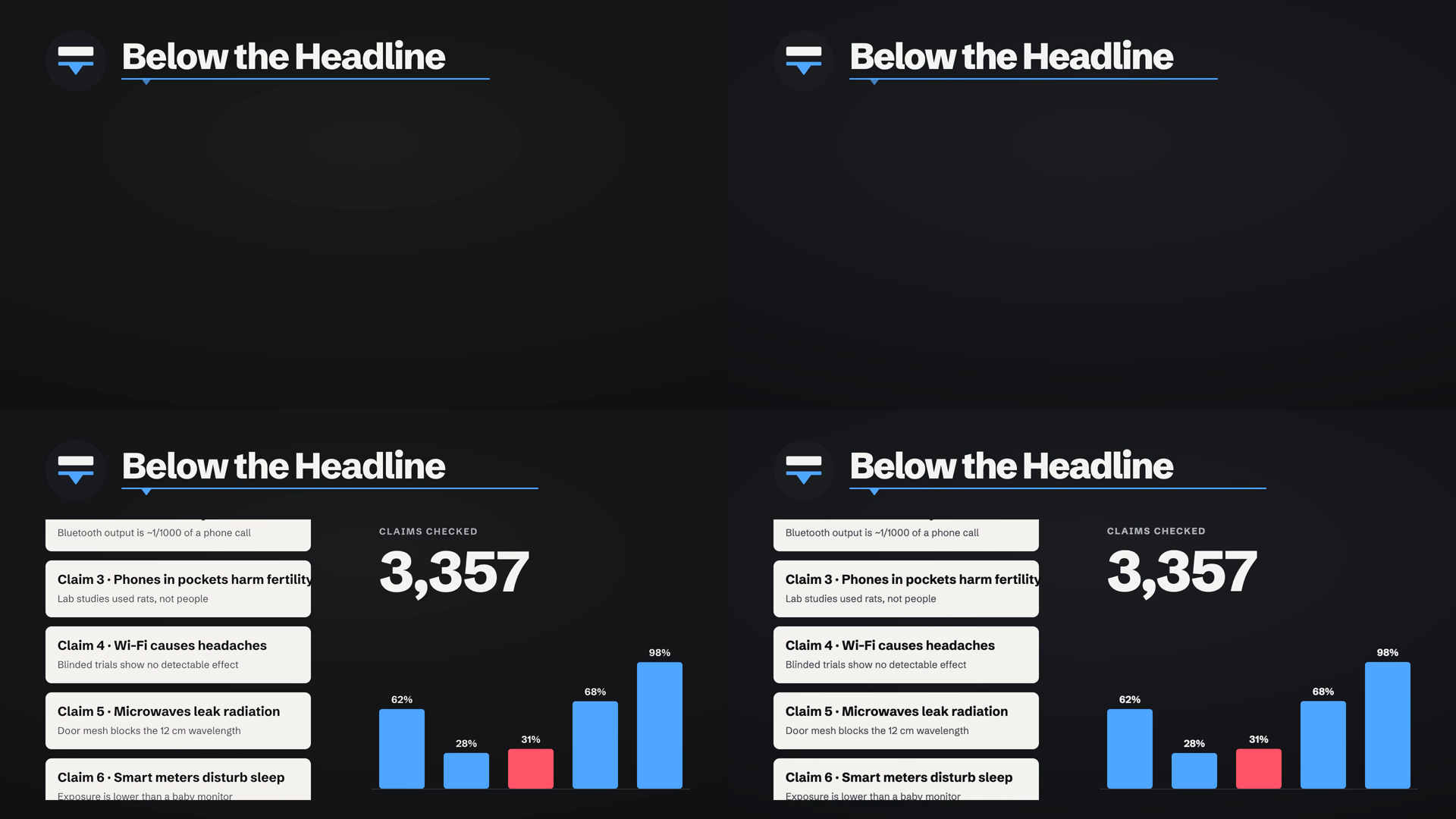
The test scene was a typical motion-graphics shot from my channel: a dark background with a vignette, a logo drawing in, a big title sliding up, a blue line drawing across, then a column of eight text cards scrolling, a counter ticking up and five animated bars. Same fonts (Schibsted Grotesk) in both.
Each case ran four times. The Mac had Chrome and other apps open, so run-to-run noise was large, up to 2–3×. The ratio between the tools stayed steady.
| Video length | fframes (best / median) | Remotion, default concurrency 4 | Remotion, concurrency 8 |
|---|---|---|---|
| 5 s (150 frames) | 1.3 s / 3.3 s | 6.9 s / 14.5 s | 7.3 s / 10.9 s |
| 10 s (300 frames) | 2.2 s / 2.8 s | 11.1 s / 13.5 s | 11.6 s / 12.9 s |
| 30 s (900 frames) | 7.2 s / 8.3 s | 31.9 s / 37.8 s | 29.2 s / 38.4 s |
- fframes is about 4.5–5× faster. It runs at roughly 110–130 frames per second against Remotion's 22–28.
- fframes barely spends time drawing. It drew 300 frames in 0.7 s. Most of its time goes to x264 encoding.
- Remotion spends most of its time in Chrome. In the 30-second case, about 21 s was capturing frames from the browser and 8 s was encoding.
- More concurrency didn't help Remotion. With only about 0.7 GB of free RAM, Remotion turned off parallel encoding on its own.
- The files differ in size. fframes files were about half the size at the same CRF, partly because Remotion goes through JPEG frames and outputs full-range colour.
- The frames match. SSIM 0.99 between the two outputs, with text positions identical. The only visible difference is a faint ring in the fframes vignette, because SVG and CSS blend gradients slightly differently.
Setup cost for fframes was small: three Homebrew packages and a 7.5-minute first build using its prebuilt Skia and FFmpeg. Rebuilds took about 1.5 s.
Test 2: how fast can an agent build it?
This is the test I cared about. I wrote one brief for a new 30-second scene and gave it to two Claude Opus agents at the same time, one per tool. The scene had five beats:
- A "viral post" card with red clipping marks and a 3D phone render beside it.
- A transition where the card lifts and a blue line draws across the frame.
- A bar chart with three bars growing in sequence, next to a paragraph that has to wrap to three lines.
- A huge number counting up to 25× with a spring overshoot.
- A four-level verdict scale where a pointer drops onto one level.
Rules: build from scratch, with no component library and no code from my other projects. Render check frames at five timestamps, fix whatever looks wrong, then render the final video and report.
| Remotion agent | fframes agent | |
|---|---|---|
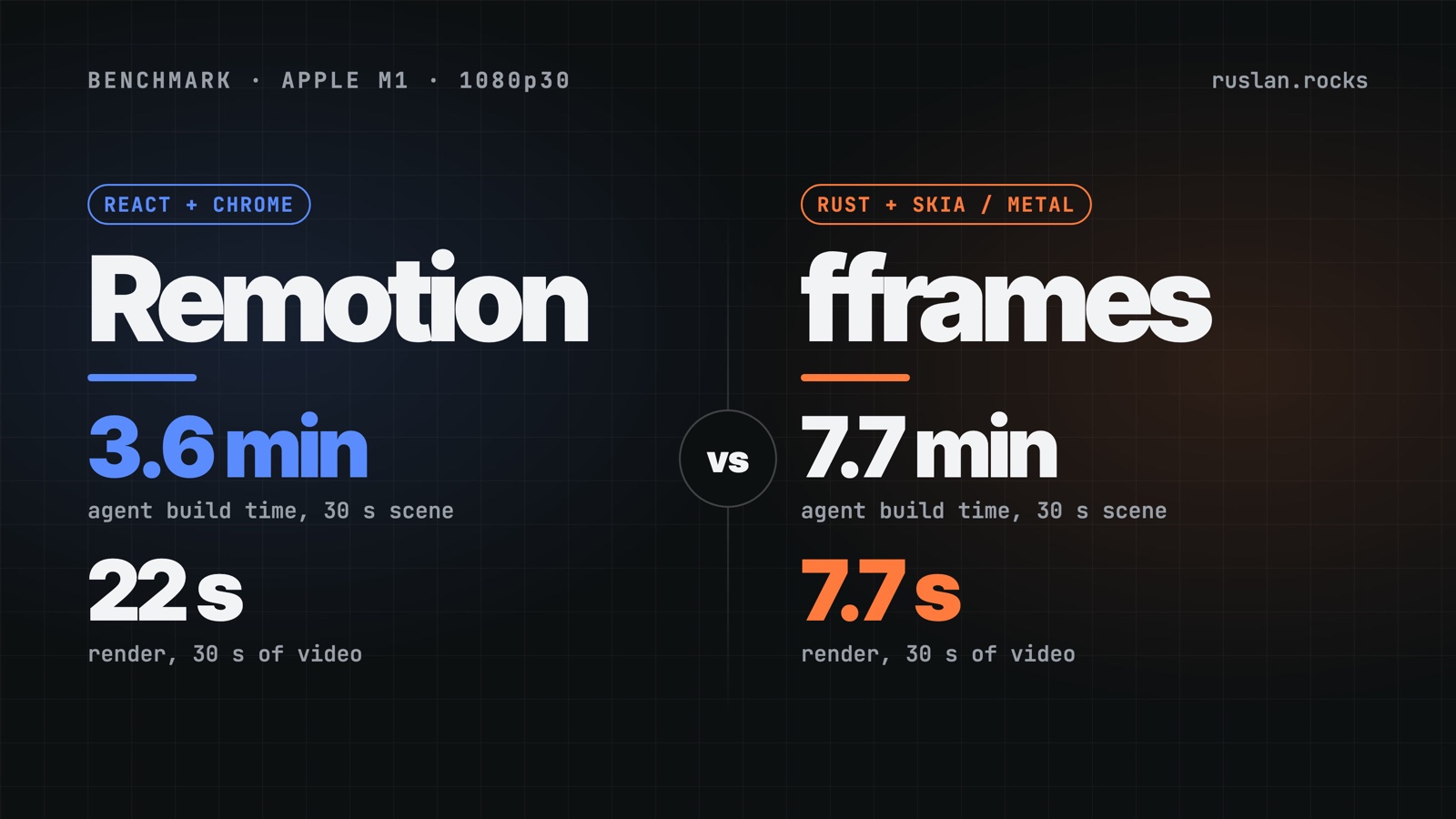
| Time from start to finished MP4 | 3.6 min | 7.7 min |
| Tokens | ~99k | ~168k |
| Tool calls | 19 | 50 |
| Build / check rounds | 3 | 6 builds + 4 rounds of check frames |
| Compile errors | 0 | 0 |
| Lines of code | 726 | 591 |
| Final 30 s render | 22 s | 7.7 s |
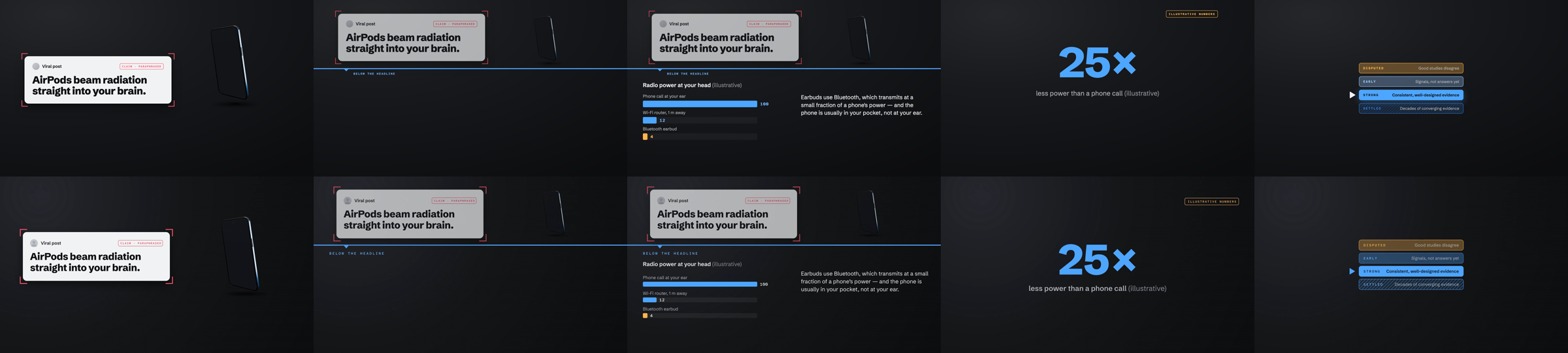
The two videos came out almost identical. Both agents followed the brief closely. They even made the same judgement call: a 500 px phone lifted 260 px would collide with the line, so both shrank it during the transition. Both caught and fixed their own mistakes from the check frames.
What took the fframes agent longer:
- Layout is manual. Remotion gets flexbox, grid and text wrapping from the browser. In fframes every position is computed in code. Its text measuring and line breaking are good, and the three-line paragraph wrapped correctly first time. Letter-spaced labels still needed a workaround.
- No helpers out of the box. The agent wrote its own cubic-bezier easing and spring instead of using a ready function. fframes has easing built in, but matching CSS curves exactly took extra code.
- Some problems only show up in the encoded video. The dark vignette showed colour banding in the MP4, and the agent had to add a grain layer. Remotion's output didn't need that.
- More round trips. Compile, then render, then inspect, then fix: fifty tool calls against nineteen.
What fframes did better: its built-in still, crop, strip and inspect commands made checking cheap, and renders took seconds.
What this means for my pipeline
The render-speed gap is real, but it saves less time than it looks.
- Render time: a 10-minute video renders in about 13 minutes with Remotion. fframes would do it in roughly 3. That's about 10 minutes saved per full render, and I do a handful of renders per video.
- Build time: one 30-second scene cost the agent about 4 more minutes and 70k more tokens in fframes. My 10-minute videos have around 37 scenes. Even if the gap shrinks with practice, that's well over an hour of agent time and millions of tokens per video, plus a full rewrite of my existing React brand kit.
So in my setup the bottleneck is not rendering. It's writing, voicing and fixing scenes, and agents are faster at that in React because layout comes free and the web stack is familiar to them.
I'm keeping Remotion for long videos. fframes makes sense for a different job: high-volume, near-identical videos such as a weekly template series, where the build cost is paid once and every render after that takes seconds.
Caveats
- One run per agent. Agent timing varies between runs, so treat the agent numbers as indicative, not precise.
- No shared helpers on either side. In real work my Remotion projects already have a brand kit, which widens the gap. An fframes kit would cost a day or so to build once.
- Older hardware. This was a base M1 with background load. On an M4 Max both tools would be faster, and the render gap would matter even less in absolute minutes.
- Mine, not universal. If you write videos by hand in Rust, or render thousands of variants, your answer could easily be different.
The test scenes, brief and raw timing logs are on my machine. If you want the exact prompt or the code from either agent, ask me on X.

Ruslan
About the author